Cubes.
Cubes.
Cubes.
From Default Cube to Final Composite: A Blender & Fusion Experiment
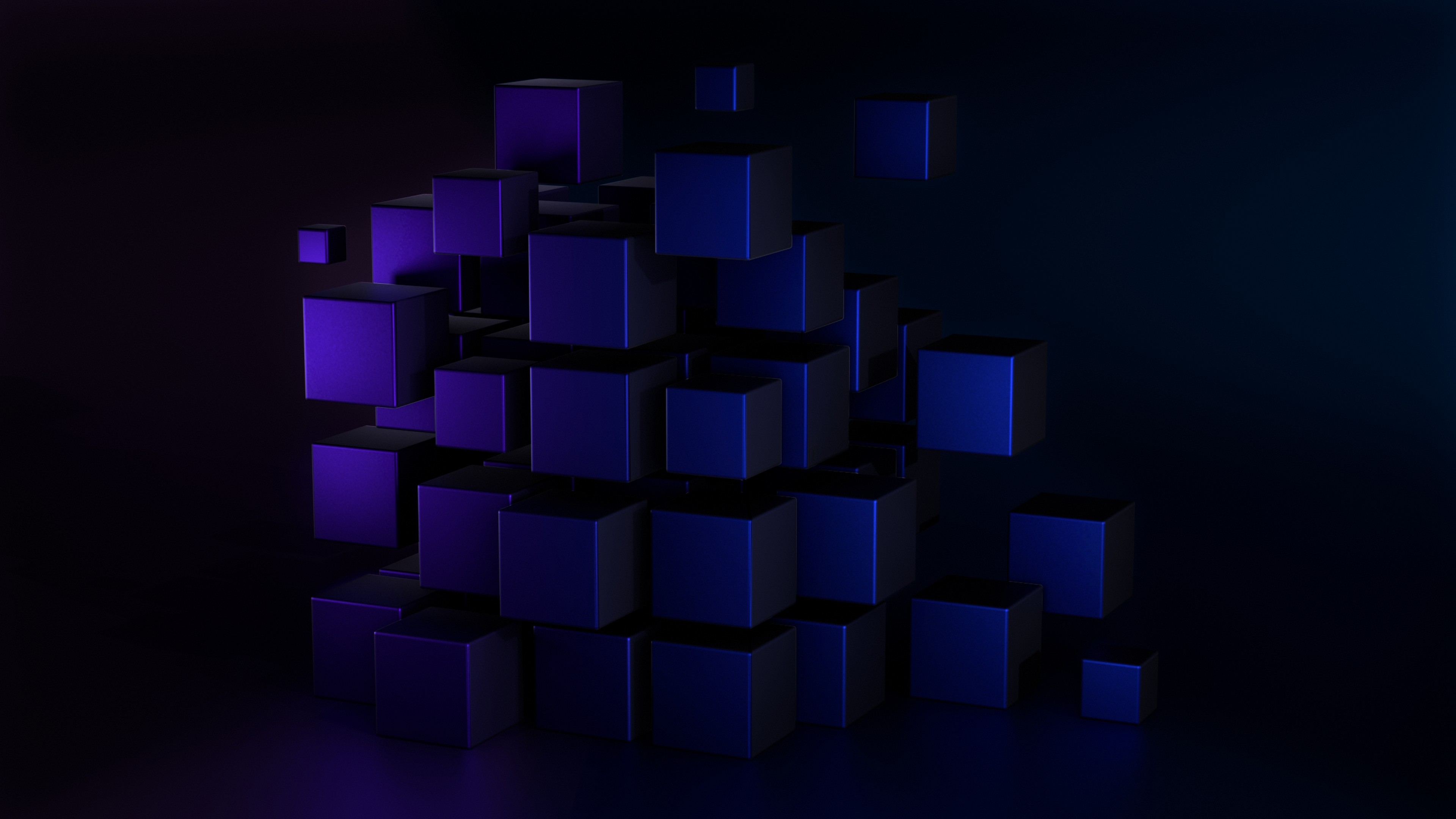
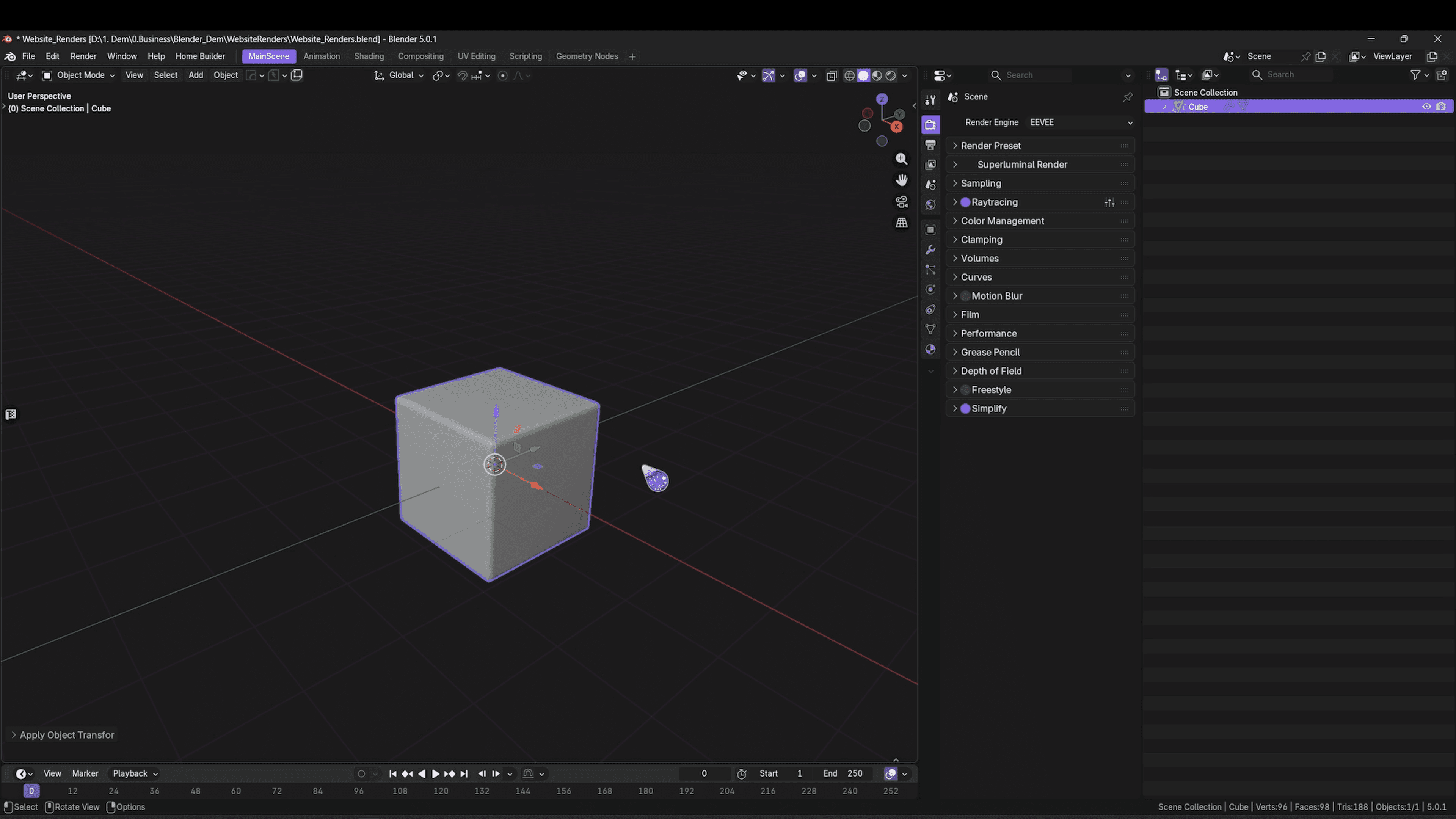
Recently I decided to hit record while putting together a small render experiment in Blender.
The goal was simple:
Render in Eevee with some simple compositing
And then…
Finally spend some time learning Blackmagic Fusion for compositing
What started as a quick test turned into a full mini workflow covering modelling, texturing, lighting, rendering, and compositing.
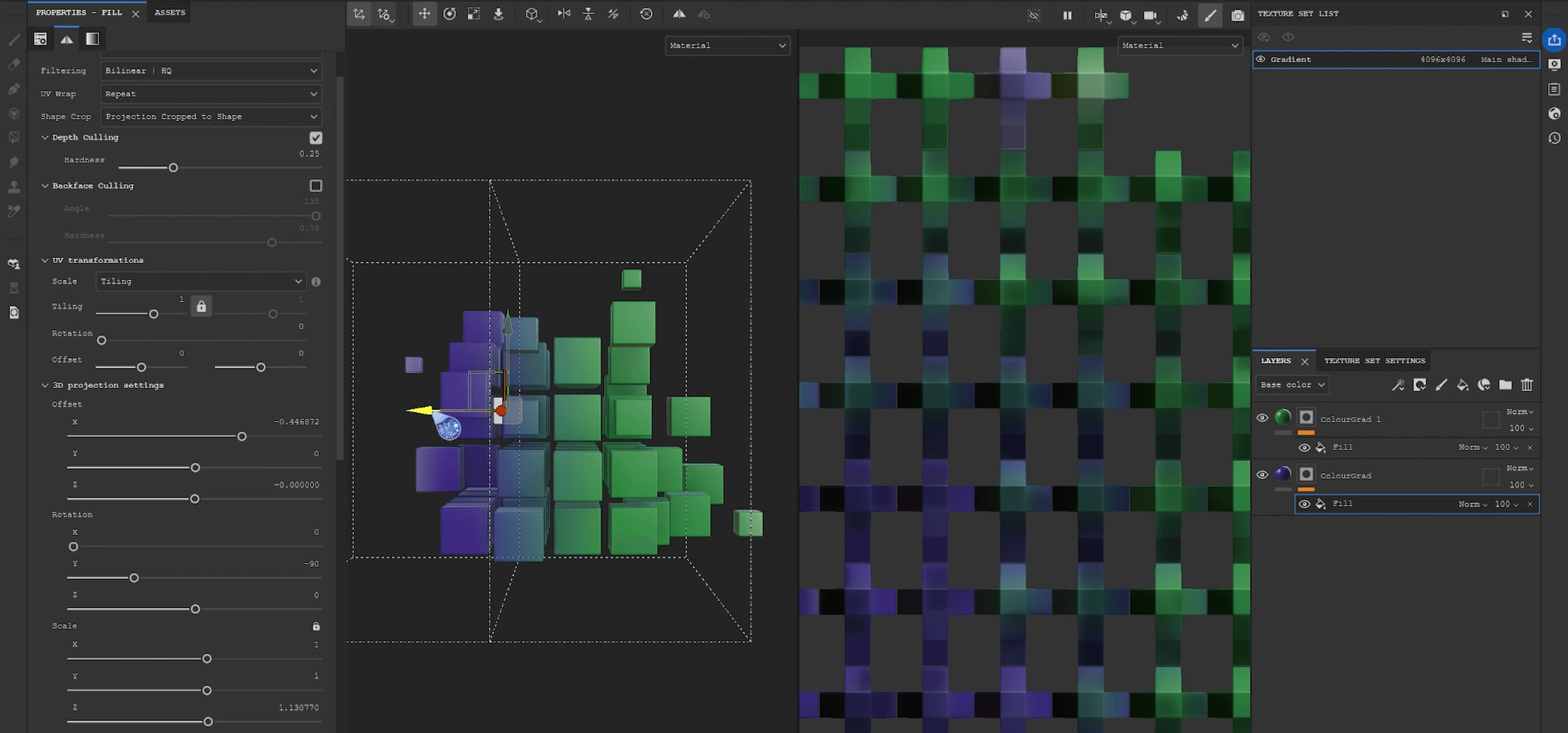
Texturing in Substance Painter
A while ago I came across a really useful tutorial by Jesse L on ArtStation covering a workflow for creating controllable 3D gradients using fill layers and projection settings. Since then, it has become one of my favourite techniques for adding volume and colour transitions to materials.
The setup itself is surprisingly simple:
Adjusting projection modes
Tweaking depth culling / hardness
Balancing scale and falloff
And iterating until the gradients meet naturally across the mesh
I ended up changing the original green tones to blue later in the process once the lighting setup was in place.
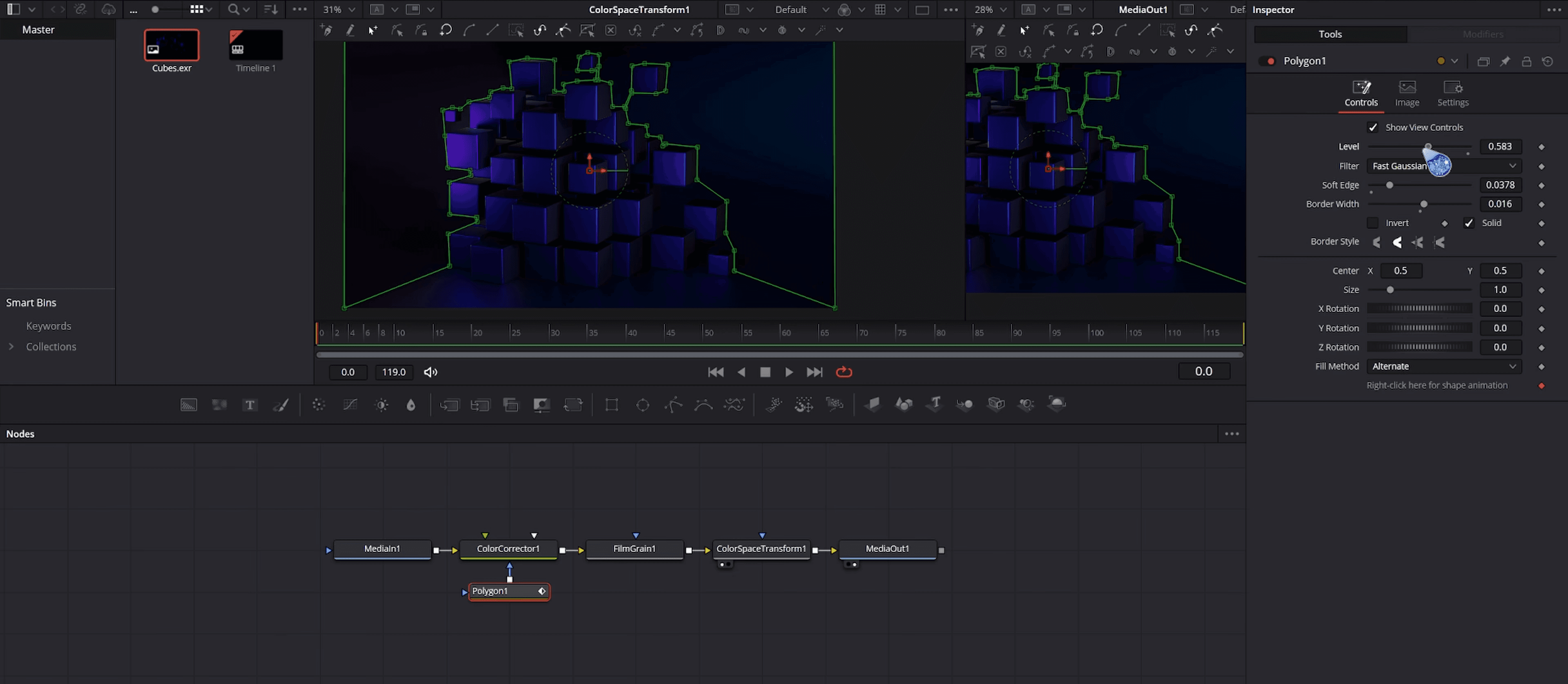
First Experiments with Fusion
For the final composite, I exported multi-layer EXRs from Blender and brought everything into Blackmagic Fusion.
This was really my first proper attempt at learning the software, so a lot of the process involved experimentation, testing masks, and figuring out the node workflow as I went.
I actually really enjoyed working in Fusion. There’s definitely a learning curve, but it already feels incredibly powerful and is something I want to continue exploring further.
Final Thoughts
This was also my first time putting together a speed-modelling style video like this.
A lot of these smaller experiments normally stay on my hard drive, but I want to start sharing more of the actual process behind my work, not just finished renders.
If people enjoy this format, I’d love to make more workflow breakdowns, experiments, and speed-model projects in the future.
Cubes.
Cubes.
Cubes.
From Default Cube to Final Composite: A Blender & Fusion Experiment
Recently I decided to hit record while putting together a small render experiment in Blender.
The goal was simple:
Render in Eevee with some simple compositing
And then…
Finally spend some time learning Blackmagic Fusion for compositing
What started as a quick test turned into a full mini workflow covering modelling, texturing, lighting, rendering, and compositing.
Texturing in Substance Painter
A while ago I came across a really useful tutorial by Jesse L on ArtStation covering a workflow for creating controllable 3D gradients using fill layers and projection settings. Since then, it has become one of my favourite techniques for adding volume and colour transitions to materials.
The setup itself is surprisingly simple:
Adjusting projection modes
Tweaking depth culling / hardness
Balancing scale and falloff
And iterating until the gradients meet naturally across the mesh
I ended up changing the original green tones to blue later in the process once the lighting setup was in place.
First Experiments with Fusion
For the final composite, I exported multi-layer EXRs from Blender and brought everything into Blackmagic Fusion.
This was really my first proper attempt at learning the software, so a lot of the process involved experimentation, testing masks, and figuring out the node workflow as I went.
I actually really enjoyed working in Fusion. There’s definitely a learning curve, but it already feels incredibly powerful and is something I want to continue exploring further.
Final Thoughts
This was also my first time putting together a speed-modelling style video like this.
A lot of these smaller experiments normally stay on my hard drive, but I want to start sharing more of the actual process behind my work, not just finished renders.
If people enjoy this format, I’d love to make more workflow breakdowns, experiments, and speed-model projects in the future.
Cubes.
Cubes.
Cubes.
From Default Cube to Final Composite: A Blender & Fusion Experiment
Recently I decided to hit record while putting together a small render experiment in Blender.
The goal was simple:
Render in Eevee with some simple compositing
And then…
Finally spend some time learning Blackmagic Fusion for compositing
What started as a quick test turned into a full mini workflow covering modelling, texturing, lighting, rendering, and compositing.
Texturing in Substance Painter
A while ago I came across a really useful tutorial by Jesse L on ArtStation covering a workflow for creating controllable 3D gradients using fill layers and projection settings. Since then, it has become one of my favourite techniques for adding volume and colour transitions to materials.
The setup itself is surprisingly simple:
Adjusting projection modes
Tweaking depth culling / hardness
Balancing scale and falloff
And iterating until the gradients meet naturally across the mesh
I ended up changing the original green tones to blue later in the process once the lighting setup was in place.
First Experiments with Fusion
For the final composite, I exported multi-layer EXRs from Blender and brought everything into Blackmagic Fusion.
This was really my first proper attempt at learning the software, so a lot of the process involved experimentation, testing masks, and figuring out the node workflow as I went.
I actually really enjoyed working in Fusion. There’s definitely a learning curve, but it already feels incredibly powerful and is something I want to continue exploring further.
Final Thoughts
This was also my first time putting together a speed-modelling style video like this.
A lot of these smaller experiments normally stay on my hard drive, but I want to start sharing more of the actual process behind my work, not just finished renders.
If people enjoy this format, I’d love to make more workflow breakdowns, experiments, and speed-model projects in the future.